

Harry Potter Interactice Magic Caster Wand Honourable -Ultimate Experience Rare
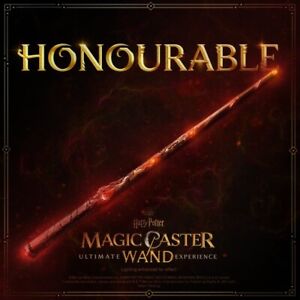
Harry Potter Interactice Magic Caster Wand Honourable -Ultimate Experience Rare
SOLD $169.99 Sold: Jan 24, 2024 on eBayOriginal Listing Description
eBay Rugged and aged in appearance, this wand was designed for those with powerful intuition and an affinity for the magic of the natural world. Its warmth will draw those with strength, courage, and conviction. For the best or worst of times, this wand feels as exemplary as the one who wields it.Magic Caster Wand supported devicesWith your Harry Potter: Magic Caster Wand and the Magic Caster Wand app, you can cast spells that interact with compatible Bluetooth enabled and Wi-Fi smart devices, such as lights, speakers, TV devices, as well as the wand box.Note Connecting to smart devices (e.g. smart lights) Welcome to the Harry Potter: Magic Caster Wand! Here's what you need to do to start casting spells with your Magic Caster Wand.-Unbox your wandYour wand comes in an interactive wand box. When you open the wand box, Hedwig's Theme plays. Inside the wand box you'll find:Your Magic Caster WandA USB-C charging cable (in the lid)A Quick Start Guide (in the lid)Next, pick up your wand. When you do this, your wand should light up.Now, you're ready to set up your wand.No sound or lights?Your wand and wand box should arrive precharged. If your wand doesn't light up or your wand box doesn't play Hedwig's Theme, you may need to charge your wand and wand box.-Install the Magic Caster Wand appFirst, you need to install the Magic Caster Wand mobile app. Choose your device type: iOS AndroidIf the Magic Caster Wand mobile app doesn't appear in the app store, try updating your iOS or Android OS version.Set up your wandNow, set up your wand using the Magic Caster Wand mobile app:-Turn on Bluetooth and grant permissionsOpen the Magic Caster Wand mobile app.(Make sure your phone or tablet is connected to the internet.)Hold your wand and choose Yes on the Welcome screen.If the Welcome screen doesn't appear: Choose the Devices icon , Wand > Connect New Wand, and then Connect New Wand again.To set up your wand, you'll need to turn on Bluetooth and grant permissions Choose your device type: iOS Android Pair and calibrate your wandA wand needs a wizard's touch to properly calibrate. Make sure you're holding your wand when you pair it.Choose Press here to pair. The app will search for your wand.Can't connect wand?Choose Yes if the tip of your wand is blue.To connect Muggle devices (compatible smart lights, Bluetooth speakers, and TV devices), choose Connect. Choose Skip to do this later.Note Connecting to smart devices (e.g. smart lights) isn't available with child accounts.-Wand ceremonyYou'll enter Ollivanders and be asked to wave and then wiggle your wand. Then, hold your wand at the ready. Here's how:Grasp your wand between your thumb and index finger (thumb on top, and index finger on bottom) and hold your wand out in front of you. The Wand Status icon at the top of screen changes to blue when your grip is correct.You can run the wand ceremony (iOS only) again or review the tutorial video.iOS: Choose the Devices icon , choose Wand, then scroll down and choose Tutorial or Ceremony Android: Choose the Spellbook icon , choose a spell, then scroll down and choose Having Trouble Casting Spells?-Learn how to cast your first spellNow, it's time to cast your first spell: Lumos.Thumb down: Grasp your wand between your thumb and index finger (thumb on top, and index finger on bottom). Your wand lights up when your grip is correct.Form the spell: Move your wand in the air to match the on-screen spell gesture.Thumb up: Lift your thumb. (If you're having trouble casting the spell, try lifting your thumb and index finger at the same time.)The screen shows you your spell gesture. Once you successfully cast the Lumos spell, you can choose X to leave the tutorial or choose View Spell (or Go to the Spellbook) to open the spell in the Spellbook+Apple iPhone, iPad, and iPod Touch+Android phones and tablets+TV devices+Smart lights and plugs+Speakers (Condition: Pre-Owned)
Note: This item has been sold and is no longer available. This page serves as a historical price reference for Harry Potter collectors and appraisers.
Original Listing Description
eBay Rugged and aged in appearance, this wand was designed for those with powerful intuition and an affinity for the magic of the natural world. Its warmth will draw those with strength, courage, and conviction. For the best or worst of times, this wand feels as exemplary as the one who wields it.Magic Caster Wand supported devicesWith your Harry Potter: Magic Caster Wand and the Magic Caster Wand app, you can cast spells that interact with compatible Bluetooth enabled and Wi-Fi smart devices, such as lights, speakers, TV devices, as well as the wand box.Note Connecting to smart devices (e.g. smart lights) Welcome to the Harry Potter: Magic Caster Wand! Here's what you need to do to start casting spells with your Magic Caster Wand.-Unbox your wandYour wand comes in an interactive wand box. When you open the wand box, Hedwig's Theme plays. Inside the wand box you'll find:Your Magic Caster WandA USB-C charging cable (in the lid)A Quick Start Guide (in the lid)Next, pick up your wand. When you do this, your wand should light up.Now, you're ready to set up your wand.No sound or lights?Your wand and wand box should arrive precharged. If your wand doesn't light up or your wand box doesn't play Hedwig's Theme, you may need to charge your wand and wand box.-Install the Magic Caster Wand appFirst, you need to install the Magic Caster Wand mobile app. Choose your device type: iOS AndroidIf the Magic Caster Wand mobile app doesn't appear in the app store, try updating your iOS or Android OS version.Set up your wandNow, set up your wand using the Magic Caster Wand mobile app:-Turn on Bluetooth and grant permissionsOpen the Magic Caster Wand mobile app.(Make sure your phone or tablet is connected to the internet.)Hold your wand and choose Yes on the Welcome screen.If the Welcome screen doesn't appear: Choose the Devices icon , Wand > Connect New Wand, and then Connect New Wand again.To set up your wand, you'll need to turn on Bluetooth and grant permissions Choose your device type: iOS Android Pair and calibrate your wandA wand needs a wizard's touch to properly calibrate. Make sure you're holding your wand when you pair it.Choose Press here to pair. The app will search for your wand.Can't connect wand?Choose Yes if the tip of your wand is blue.To connect Muggle devices (compatible smart lights, Bluetooth speakers, and TV devices), choose Connect. Choose Skip to do this later.Note Connecting to smart devices (e.g. smart lights) isn't available with child accounts.-Wand ceremonyYou'll enter Ollivanders and be asked to wave and then wiggle your wand. Then, hold your wand at the ready. Here's how:Grasp your wand between your thumb and index finger (thumb on top, and index finger on bottom) and hold your wand out in front of you. The Wand Status icon at the top of screen changes to blue when your grip is correct.You can run the wand ceremony (iOS only) again or review the tutorial video.iOS: Choose the Devices icon , choose Wand, then scroll down and choose Tutorial or Ceremony Android: Choose the Spellbook icon , choose a spell, then scroll down and choose Having Trouble Casting Spells?-Learn how to cast your first spellNow, it's time to cast your first spell: Lumos.Thumb down: Grasp your wand between your thumb and index finger (thumb on top, and index finger on bottom). Your wand lights up when your grip is correct.Form the spell: Move your wand in the air to match the on-screen spell gesture.Thumb up: Lift your thumb. (If you're having trouble casting the spell, try lifting your thumb and index finger at the same time.)The screen shows you your spell gesture. Once you successfully cast the Lumos spell, you can choose X to leave the tutorial or choose View Spell (or Go to the Spellbook) to open the spell in the Spellbook+Apple iPhone, iPad, and iPod Touch+Android phones and tablets+TV devices+Smart lights and plugs+Speakers (Condition: Pre-Owned)
Note: This item has been sold and is no longer available. This page serves as a historical price reference for Harry Potter collectors and appraisers.